

WritingDesktop app
Leaf Markdown
Open .md files beautifully rendered, like a PDF reader for Markdown.
Vitool Box and its apps run on Windows 10 and 11. Open this page on your PC to install. Or download the installer anyway · 2.3 MB.
Overview
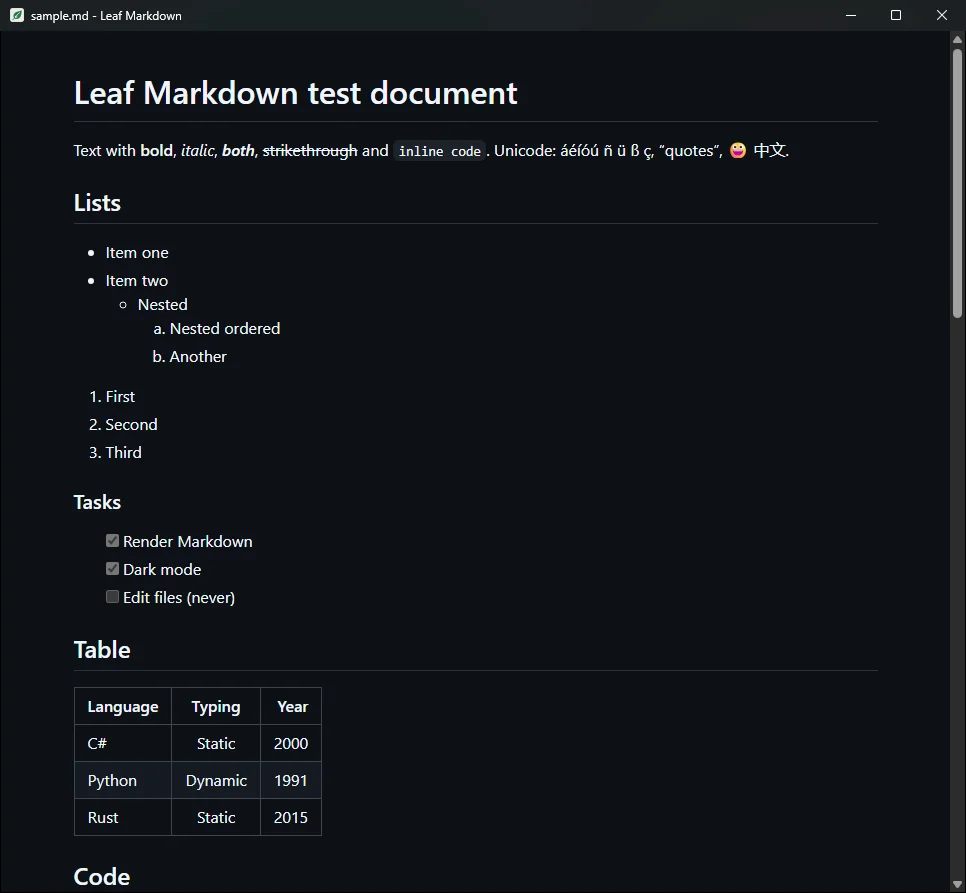
A minimal Markdown reader for Windows. Double-click a .md file and read it with GitHub-style tables, task lists, alerts and highlighted code. No editing, no sidebars, no tabs, and the view updates live when the file changes.
Leaf opens Markdown files and shows them rendered, nothing more. It starts almost instantly, uses little memory and gets out of the way so you can read.
Links to other .md files open in the same window, and external links open in your default browser.
What it does
GitHub-style rendering
Tables, task lists, footnotes, alerts, images and syntax-highlighted code.
Live reload
When another program saves the file, the view updates and keeps your reading position.
Opens your way
Double-click, drag and drop, Ctrl+O or the command line.
Zoom and find
Ctrl and the mouse wheel to zoom, Ctrl+F to find in the document.
Light or dark
Follows the Windows theme, title bar included.
Safe with untrusted files
Embedded HTML is sanitized, scripts never run and only local images are loaded.
Shortcuts
| Action | Keys |
|---|---|
| Open a file | CtrlO |
| Find in the document | CtrlF |
| Reset zoom | Ctrl0 |
Install
With Vitool Box Recommended
Install Vitool Box, open it and turn Leaf on. It installs every app with a switch and keeps them all up to date.
 Get it with Vitool Box: downloads the Vitool Box installer, then turn Leaf on with a switch
On its own
Download
LeafSetup.exefrom the latest release and run it.- Per-user install, no admin rights needed.
- Adds Leaf Markdown to the Start menu and opens .md files with it.
Changelog
All releasesv1.0.1Latest
v1.0.1 on GitHubOfficial and free 💸
- 🏷️ Trademarks: new TRADEMARKS.md. The code stays MIT, but the Leaf name and logo are not part of the license: forks need their own name and icon, and nobody may sell Leaf as the official app
- 💸 Free app notice: the installer's license page now says that Leaf is free and only published at github.com/VitomDev, so anyone who was charged for it knows they were scammed
Install: download
LeafSetup.exebelow and run it; it upgrades your current Leaf and keeps your settings.v1.0.0
v1.0.0 on GitHubFirst release of Leaf Markdown, a minimal Markdown viewer for Windows 10/11.
Downloads
- LeafMarkdown-Setup-1.0.0.exe: installer (recommended). Per-user install, no admin rights needed. It adds Leaf Markdown to the Start menu and opens
.mdfiles with it. - LeafMarkdown.exe: portable version, no installation. Run
LeafMarkdown.exe --registerto associate it with.mdfiles.
Requirements
- Windows 10/11 x64 with the WebView2 Runtime (included with up-to-date Windows).
- .NET 10 Desktop Runtime (x64). The installer warns you if it's missing.
- LeafMarkdown-Setup-1.0.0.exe: installer (recommended). Per-user install, no admin rights needed. It adds Leaf Markdown to the Start menu and opens


