

MediaTray app
Lazo Audio Link
Hear your PC's sound on your phone over Wi-Fi, with about a tenth of a second of delay.
Lazo runs on your Windows PC; your phone only needs to open its link to listen. Open this page on your PC to install. Or download the installer anyway · 2.3 MB.
Overview
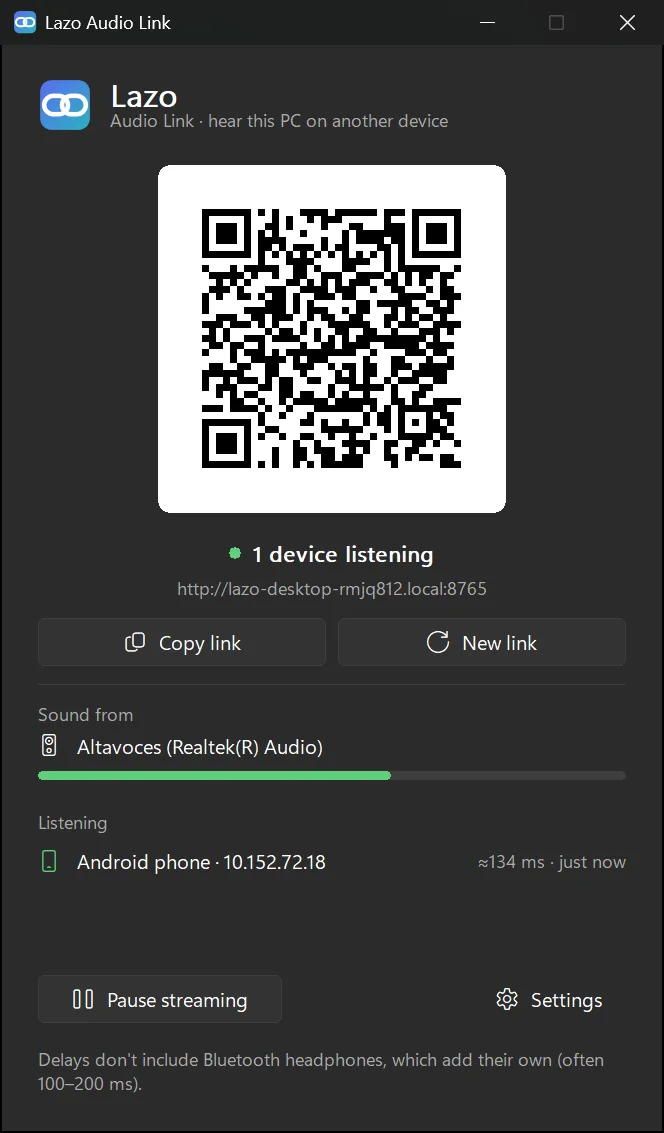
Scan a QR code with your phone, tap Listen, and everything your PC plays comes out of the headphones connected to your phone. Nothing to install on the phone, no accounts and no cloud; the sound goes straight across your home network.
Watching something on a desktop PC without Bluetooth? Open Lazo, scan its QR code with your phone and tap Listen: the sound plays in the headphones connected to your phone, with a delay of about a tenth of a second plus whatever Bluetooth headphones add.
A tablet or a laptop works the same way. Just open the link.
What it does
Everything the PC plays
Lazo records what goes to your speakers, or any output you choose, and sends it in stereo.
Or just one app
Send only the browser with your video, without notifications, calls or system sounds.
Scan and listen
A QR code with the PC's address opens in Safari on iPhone or Chrome on Android. On a laptop or tablet, open the link.
Low delay, clean sound
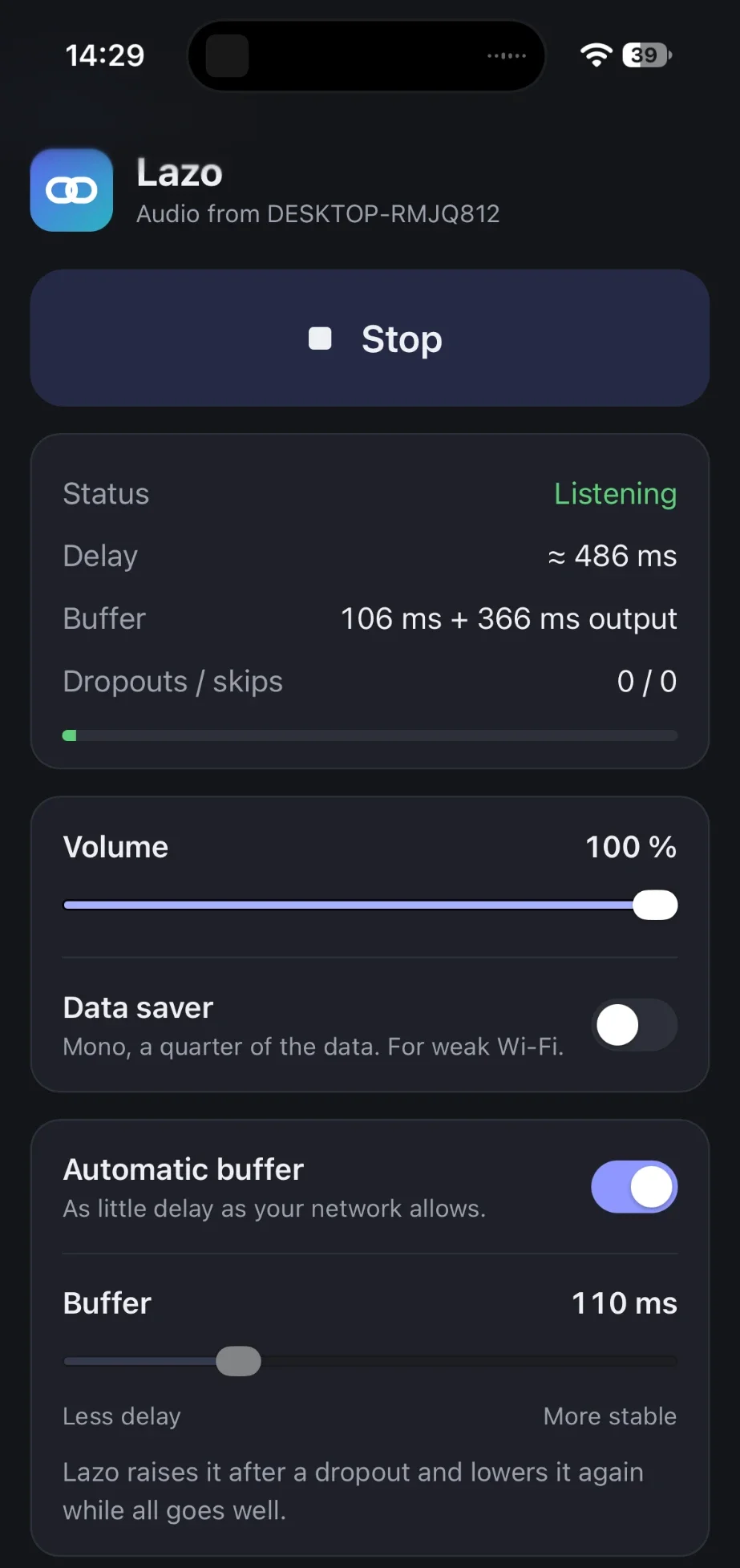
An automatic buffer starts at 80 ms and goes down to 40 ms on a good network, without crackles or dropped audio.
Several devices at once
Each listener appears in Lazo's window with its delay and dropouts, and has its own volume and a data saver for weak Wi-Fi.
Private by design
Every connection needs the secret key in the QR code, only devices on your private network can connect, and sound is only recorded while someone listens.
How light it is
- CPU while streaming to one device
- about 1.5 % of one core
- CPU while waiting
- 0 ms over 60 s
- Network per listener
- ~1.5 Mbit/s
- Program / installer
- 0.8 MB / 2.4 MB
Measured on the developer's PC with Windows 11.
Install
With Vitool Box Recommended
Install Vitool Box, open it and turn Lazo on. It installs every app with a switch and keeps them all up to date.
 Get it with Vitool Box: downloads the Vitool Box installer, then turn Lazo on with a switch
On its own
Download
LazoSetup.exefrom the latest release and run it.- Per-user install, no admin rights needed.
- The first time Lazo starts, Windows Firewall asks whether it may use the network. Allow it on private networks.
- Lazo does not start with Windows unless you turn it on in Settings.
Changelog
All releasesv1.1.1Latest
v1.1.1 on GitHubOfficial and free 💸
- 🏷️ Trademarks: new TRADEMARKS.md. The code stays MIT, but the Lazo name and logo are not part of the license: forks need their own name and icon, and nobody may sell Lazo as the official app
- 💸 Free app notice: the installer's license page now says that Lazo is free and only published at github.com/VitomDev, so anyone who was charged for it knows they were scammed
Install: download
LazoSetup.exebelow and run it; it upgrades your current Lazo and keeps your settings.v1.1.0
v1.1.0 on GitHubLink changed? Get it without scanning again 🔗
- 🔗 Get the new link: a page with an old link (after New link, or from your home screen) offers a button that asks the PC for the new one
- ✅ You decide on the PC: Lazo asks whether to allow the device, and only then does the page reopen with the new link. Nobody else on your Wi-Fi can just take it
- 🛡️ No flood of questions: one request at a time per device, and an unanswered one gives up after a minute
Install: download LazoSetup.exe and run it (per-user, no admin), or update from Vitool Box. Your settings and link are kept.
v1.0.1
v1.0.1 on GitHubA clearer word on Bluetooth delay 🎧
- 🎧 Bluetooth note: iPhones already count your headphones' delay in the delay Lazo shows; other devices may not, and the page and the window now say so
Install: download LazoSetup.exe and run it (per-user, no admin), or update from Vitool Box. Your settings and link are kept.
v1.0.0
v1.0.0 on GitHubLazo 1.0: one app, less delay, a link that lasts 🔗
- 🎯 Only one app: send just the browser with your video, without notifications or system sounds (Settings → Send the sound of)
- ⏱️ Automatic buffer: as little delay as your network allows, down to 40 ms, and up again only after a dropout
- 🏠 A link that lasts: the link uses the PC's name (
lazo-<pc>.local), so a page saved to your home screen keeps working when the PC's IP changes - 🔉 Volume and data saver on the listening device: its own volume, and a mono stream with a quarter of the data for weak Wi-Fi
- 📊 Delay per device: the estimated delay on the listening page and for every device in Lazo's window, with any dropouts
- 🟢 Tray icon with a green dot while someone listens
Install: download LazoSetup.exe and run it (per-user, no admin), or update from Vitool Box. Your settings are kept; scan the QR code once more, since the link now uses the PC's name.
v0.1.0
v0.1.0 on GitHubHear your PC on your phone 🎧
- 🔊 Everything the PC plays, live over your home network, from the default output or one you choose
- 📷 Scan and listen: QR code to Safari or Chrome, tap Listen. Laptops and tablets just open the link
- ⏱️ Low delay, clean sound: about 80 ms of buffer (40–300 ms on the listening device), one continuous stream, clock drift followed without dropping audio
- 🔇 Mute this PC while a device listens (optional)
- 📱 Several devices at once, listed in Lazo's window
- 🔒 Private: secret link with New link, private network only, sound recorded only while someone listens
Install: download LazoSetup.exe and run it (per-user, no admin). The first time, allow Lazo on Private networks when Windows Firewall asks.


